
How to Make Your Battery Last Longer
Asus laptop battery life is affected by many things. These include the laptop model, the size of the battery the brightness of the screen the programs you run how hard the processor works the room temperature and the power settings you choose. A laptop that does tasks such as surfing the web or editing documents usually uses less power than one that runs games edits video or uses other heavy software. ASUS says that the capacity of a lithium‑ion battery naturally goes down over time. Battery performance can also be hurt by low temperatures and by the settings that manage power.
What Affects ASUS Laptop Battery Life?
Your daily use can change the way the battery lasts. If you leave the screen bright keep many programs running in the background use Wi‑Fi or Bluetooth plug in USB devices or run heavy software the battery will drain faster. Gaming laptops, those that are made for speed can use a lot more power when they are working hard. ASUS laptop battery life depends on what software’s running and on the power‑management settings. That means two people who have the laptop can see very different battery times.
Battery age is also a factor. ASUS says that lithium‑ion batteries normally last about 300 to 500 charge cycles before they lose capacity. Because of that a laptop that used to run for hours may start needing a charge much sooner.
How to Improve Asus Laptop Battery Life
You can take simple steps to reduce unnecessary battery drain:
- Lower screen brightness when possible.
- Close applications you are not using.
- Use Windows power‑saving settings.
- Reduce background activity.
- Disconnect unused USB devices.
- Keep the laptop away from heat.
- Use Battery Care Mode when the laptop remains plugged in frequently.
ASUS now offers Battery Care Mode through the app on laptops that support it. New ASUS laptops that were released in 2026 can use a charging feature that learns how you use the device. These laptops can stop charging when the battery reaches about 80% to reduce stress on the battery.
How to Check Your ASUS Battery Health
If the battery starts to run out of power faster than before checking its condition is a smart first move. ASUS suggests using the app and its battery test tools on laptops that support them. Windows can also create a battery report with the command powercfg /batteryreport. That report lets you see the battery’s design capacity next to its current full‑charge capacity.
If the battery has lost a lot of capacity buying a new one can bring back portable use. A swollen battery is dangerous. Should not be left alone. ASUS advises replacing a battery and throwing it away in a safe way.
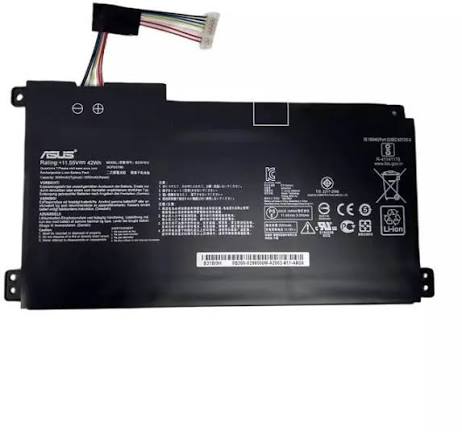
Choose the Right Replacement Battery
When you need an ASUS battery do not buy just because it says ASUS. Look at the exact laptop model, battery part number, voltage and capacity* before you order. The right battery guarantees that the laptop will fit and charge correctly.
A good place to find a replacement is Laptop O.T.. Tell them your laptop model or the details of the battery you have. They will help you find the correct option.
Conclusion:
Good laptop battery life comes from a mix of smart battery habits sensible power settings and keeping the laptop at the right temperature. Turning on Battery Care Mode cutting down on power usage and checking battery health often will help you use the laptop longer. When the battery has finished its life picking a compatible replacement from Laptop O.T. can bring your ASUS laptop back, to reliable daily use.
Follow Us
Instagram: https://www.instagram.com/laptop_o.t/?hl=en
Facebook: https://www.facebook.com/LaptopBatteryHub
Google Review: https://maps.app.goo.gl/M8nYVZPy6fEzRScc6
1. How long should an Asus laptop battery last?
An Asus laptop battery can last several hours on a full charge, depending on the model, battery capacity, usage, and power settings.
2. How can I improve my Asus laptop battery life?
Lower screen brightness, close unnecessary apps, use battery-saving mode, and keep your laptop software updated.
3. Why is my Asus laptop battery draining quickly?
High screen brightness, background applications, aging batteries, intensive software, and high-performance settings can cause faster battery drain.
4. Does charging affect Asus laptop battery life?
Modern laptops include charging controls, but excessive heat and prolonged battery stress can contribute to battery wear over time.