
Knowing how to check battery cycles on MacBook can help you understand the condition and age of your battery. A battery cycle is completed when you have used an amount of power to 100% of the batterys capacity although that power does not have to be used in a single session. For example using 50% of your battery one day and another 50% the next day would count as one cycle.
how to check battery cycles on macbook Checking your cycle count is useful when you are experiencing battery life or considering a MacBook battery replacement. Apple explains that Mac laptop batteries have a number of charge cycles and the maximum cycle count varies depending on the specific Mac model.
What Is a MacBook Battery Cycle?
A MacBook battery cycle represents the equivalent of using 100% of the batterys capacity. It does not mean that plugging your MacBook into the charger once automatically creates one cycle.
For example if you use 30% of your battery today and recharge it then use another 70% over the days those combined 100% of usage represent approximately one battery cycle. This is why a MacBook can have charging sessions without having the same number of battery cycles.
How Battery Cycles Are Counted
Battery cycle counting is based on battery usage rather than simply counting how many times you connect the charger. This makes the cycle count an useful measurement of battery usage over time.
Apple states that its Mac batteries are designed to retain up to 80% of their capacity at their maximum cycle count. However the actual battery condition can vary according to usage, configuration and charging behavior.
Why Battery Cycle Count Matters
The cycle count gives you another way to evaluate your MacBook battery health. A high cycle count does not automatically mean that the battery has failed but it can indicate that the battery has experienced substantial use.how to check battery cycles on macbook
Apple notes that cycle-count limits vary by Mac model. Many recent MacBook Air and MacBook Pro models listed by Apple have a cycle count of 1,000 cycles while some older MacBook models have lower limits such as 300 or 500 cycles.
Battery Health and Cycle Limits
Reaching the cycle count does not mean that your MacBook will immediately stop working. Apple says you can continue using the battery. You may notice reduced battery life. For performance Apple recommends battery replacement when the maximum cycle count is reached.
How to Check Battery Cycles on MacBook
The way to check battery cycles on MacBook is through System Information. Apple currently recommends holding the Option key while clicking the Apple menu then selecting System Information.
Once System Information opens, look for the hardware section and select Power. The battery information will display details about your MacBooks battery, including its cycle count.how to check battery cycles on macbook
Using System Information
Follow these steps:
Hold down the Option key.
Click the Apple menu .
Select System Information.
Under Hardware, Power.
Find Battery Information.
Look for Cycle Count.
Apples System Information documentation also confirms that the system report provides information about the hardware installed in or connected to your Mac.
Finding Battery Information
Once you locate the battery information you can record the cycle count and compare it with the maximum cycle count specified for your MacBook model. This gives you an idea of how much use the battery has experienced.
Remember that cycle count is one part of battery health. A MacBook with a cycle count can still have battery problems while another with a higher count may continue to provide acceptable performance.how to check battery cycles on macbook
How to Check Battery Cycles on Newer macOS
The System Information method remains a way to find the cycle count. On versions of macOS you can also access detailed Mac information through Apple menu > System Settings > General > About > System Report.
This opens the type of system report where you can navigate to the power information and view battery details.how to check battery cycles on macbook
How to Check MacBook Battery Health
Along with checking the cycle count it is useful to check your MacBooks battery health and maximum capacity. MacOS provides battery information that can help you determine whether the battery is still performing well.
A declining battery capacity can result in shorter unplugged runtime even if the cycle count does not appear high. If your MacBook frequently needs charging or shuts down unexpectedly examining its battery condition can help determine whether replacement is appropriate.
Maximum Capacity
Apple states that MacBook batteries are designed to retain up to 80% of their charge capacity at their maximum cycle count.
This does not mean every MacBook reaches 80% at the same time. Battery performance depends on factors such as usage patterns, configuration and charging behavior.
What Is a Good MacBook Battery Cycle Count?
There is no cycle count that should be considered perfect for every MacBook. The appropriate limit depends on the model. Apple provides model- cycle limits with many newer MacBook Air and MacBook Pro models rated at up to 1,000 cycles.
Of looking at the number alone consider the cycle count together with battery capacity, runtime, charging behavior and the overall age of the MacBook.
When Should You Replace the Battery?
If your MacBook has reached its models cycle count and battery performance has noticeably declined a replacement may be appropriate. Apple recommends replacing the battery for performance once the maximum cycle count is reached.
You should also consider replacement if the MacBook provides short battery life frequently shuts down unexpectedly or shows other battery-related problems.
How to Reduce Battery Cycle Wear
You cannot completely avoid battery cycles when using a MacBook away from a charger. You can manage battery usage. MacOS includes Optimised Battery Charging, which can learn your charging routine and delay charging beyond 80% until you’re likely to need the full capacity. Apple says this feature is available in macOS Catalina 10.5.5 or later.
Reducing power consumption can also help you get more usable time from each charge. Lowering screen brightness, closing applications and managing demanding background tasks can reduce battery usage.
MacBook Battery Replacement
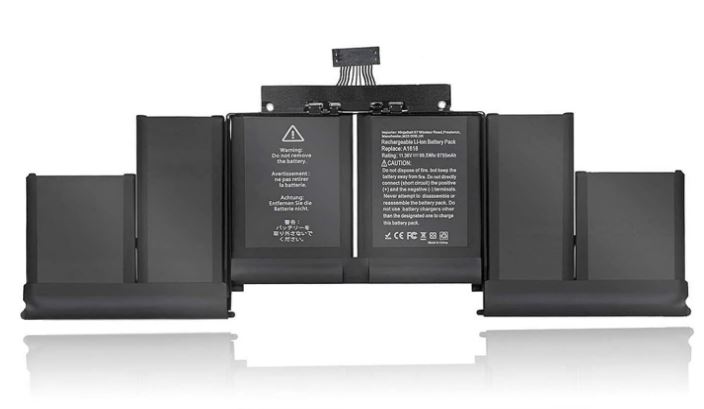
If your MacBook battery has reached its cycle limit or its performance has significantly declined, replacing the battery can restore performance. Before purchasing a replacement identify your MacBook model and choose a battery designed for that model.
For users searching for a MacBook battery in Pakistan checking the model and battery compatibility before purchasing is important. Laptop O.T. Provides laptop battery options. Can help customers find a suitable replacement based on their MacBook model.
Learning how to check battery cycles on MacBook is a way to understand how much use your battery has experienced. You can find the cycle count through System Information > Hardware > Power > Battery Information. Compare it with the cycle limit for your specific MacBook model.
Conclusion:
Cycle count should not be the factor you consider. Battery capacity, runtime, charging behavior and overall performance also matter when deciding whether your MacBook battery needs replacement. By checking these details you can make a more informed decision, about maintaining or replacing your MacBook battery.
Follow Us :
Instagram : https://www.instagram.com/laptop_o.t/?hl=en
Facebook : https://www.facebook.com/LaptopBatteryHub
Google Review : https://maps.app.goo.gl/M8nYVZPy6fEzRScc6
1. How do I check battery cycles on a MacBook?
Go to Apple menu → About This Mac → More Info → System Report → Power. Look for Cycle Count under the battery information.
2. What is a battery cycle on a MacBook?
A battery cycle is completed when you have used a total of 100% of your MacBook’s battery capacity, even if that happens over several charges.
3. Is a high cycle count bad for a MacBook?
A high cycle count generally means the battery has experienced more use and may have more wear. However, the acceptable cycle count varies by MacBook model.
4. How can I improve my MacBook battery health?
Avoid excessive heat, keep macOS updated, and use Optimized Battery Charging when available. These steps can help reduce unnecessary battery wear.